

29-Image Difference Solution
The first expression doesn't make any difference. A and b contain only positive integers. So this will give us the same incorrect result as before. The second expression is interesting. A minus b would give correct difference values where a is greater than b. And zero, where b is greater than a. Similarly, b minus a will give you correct difference values where b is greater than a, and zero where a is greater than b. Hence, there's sum is in fact the absolute difference that we want. Converting the images to uint16. Does increase the range of values that they can store. But remember that u signifies unsigned, which means uint16 cannot represent negative numbers, and we'll end up getting the same result. Floating-point images can inherently store negative values. Hence, converting to a floating point would help.

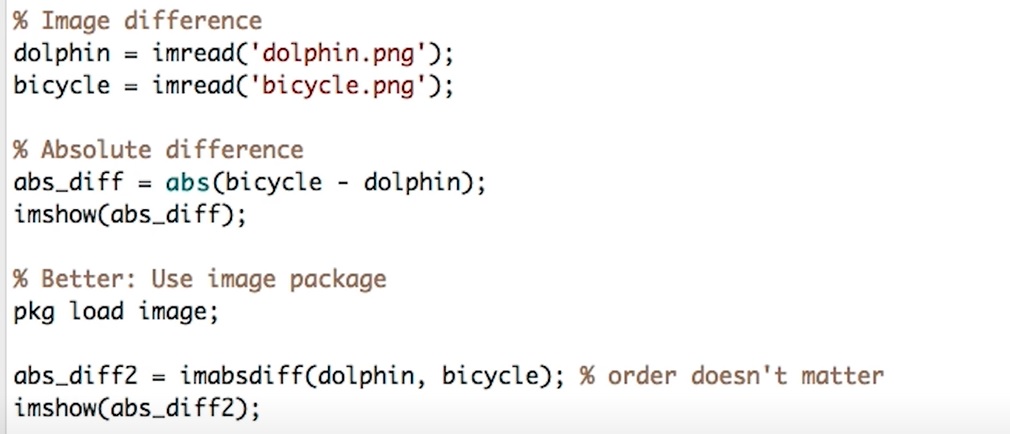
Fortunately, there is a built in function to compute image difference that preserves values. We don't have to explicitly convert the data type or use any funky expressions. This function is contained in the image package in Octave or image processing toolkit in Matlab. You can load a package by typing pkg load followed by the package name. The function we want is called imabsdiff. It takes two parameters. The images to be subtracted. And the order doesn't matter. Let's see how this compares with our previous attempt. As you can see, this preserves the magnitude of image difference throughout the image. The image package provides many more functions to carry out common operations. Feel free to explore them

.