

14-Image Size and Data Type Solution
Quiz
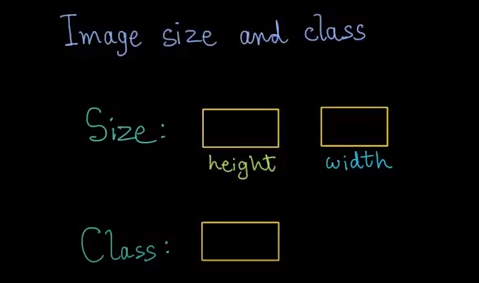
What was the size of the image, note that octave first print height first and then width what was the class and data type Please type your answer
Solution
Image Size and Data Type in octive
All right, let's find out the size and class. Octave prints out the height of the image first, and then the width, height is 320 and width is 500. On the next line, we see that the class of the image is uint8. If you type these values incorrectly good job. So the height and width turned out to be 320 and 500 respectively and the class was uint8. Now, what does uint8 mean? Some of you may know this already, u stands for unsigned, which means this data type cannot represent negative numbers. Int stands for integer and eight refers to eight bits or one byte. This is sometimes known as the bit depth. It indicates the number of bits allocated to store each intensity value
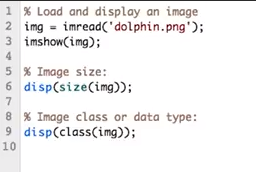
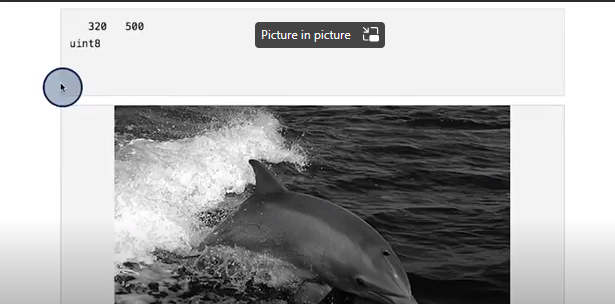
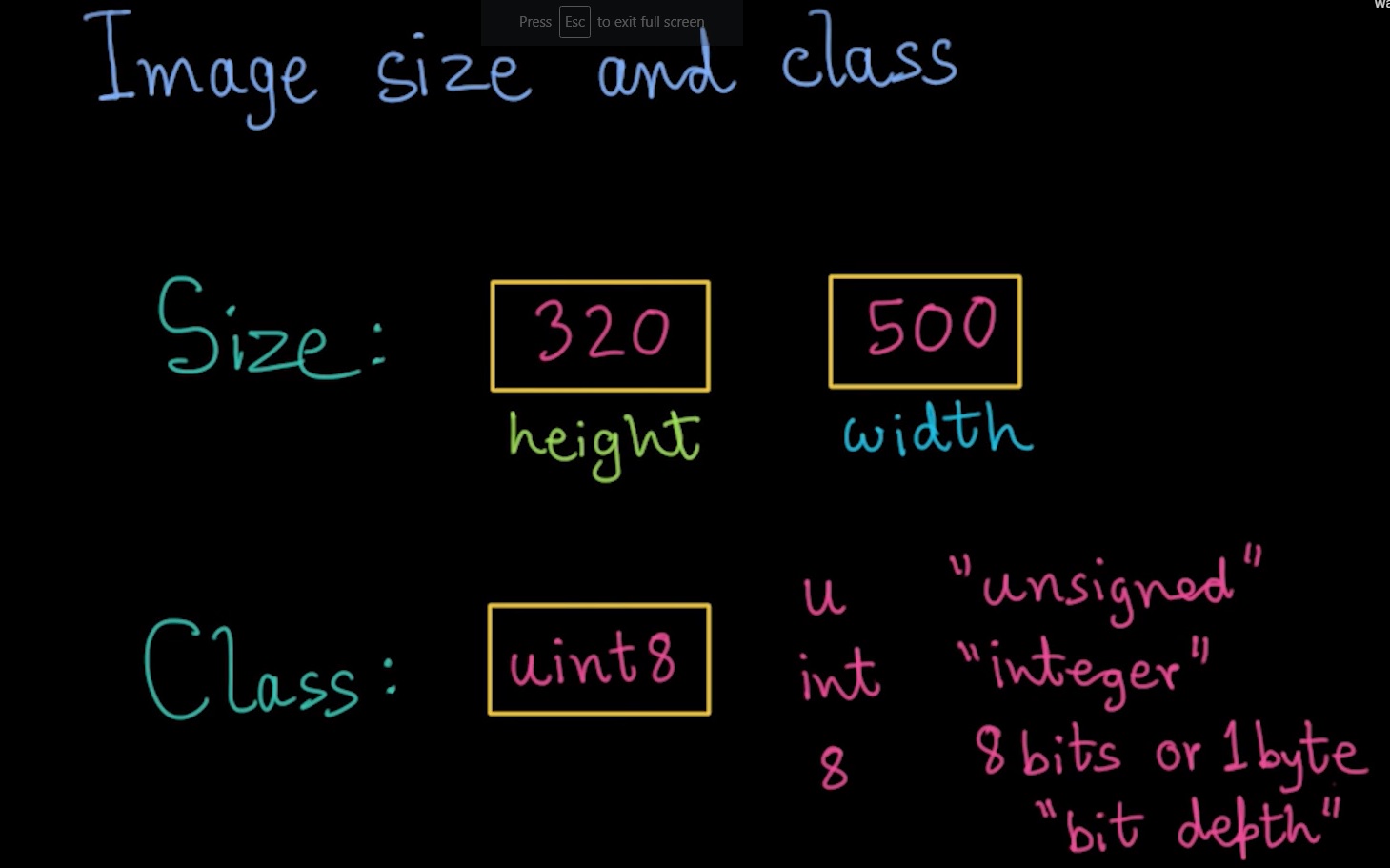
Image Size and Data Type in python
Image size and data type are two important properties of an image in Python. You can use the Pillow (PIL) or OpenCV libraries to read image files and get the size and data type of an image.
There are two ways to get the image size in Python:
- Using the
Imageclass from the Pillow library:
from PIL import Image
image = Image.open('image.jpg')
size = image.size
# size will be a tuple of (width, height)
- Using the
shapeattribute of a NumPy array:
import numpy as np
image = np.array(Image.open('image.jpg'))
size = image.shape
 # size will be a tuple of (height, width, channels)
Note: The order of width and height is different in OpenCV and Pillow (PIL). OpenCV treats an image as a NumPy array ndarray, where the first dimension is the height, the second dimension is the width, and the third dimension is the number of channels (e.g., 3 for RGB images). Pillow (PIL), on the other hand, treats an image as a tuple of (width, height).
Image Data Type in Python
The data type of an image in Python is determined by the underlying library used to read the image file. Pillow (PIL) supports a variety of image data types, including:
uint8(unsigned 8-bit integeruint16(unsigned 16-bit integer)uint32(unsigned 32-bit integer)- etc
OpenCV also supports a variety of image data types, including:
CV_8U(unsigned 8-bit integer)CV_16U(unsigned 16-bit integer)
Note: The two libraries use different naming conventions for some of the data types. For example, uint8 in Pillow (PIL) corresponds to CV_8U in OpenCV.
To get the data type of an image in Python, you can use the dtype attribute of a NumPy array:
import numpy as np
image = np.array(Image.open('image.jpg'))
dtype = image.dtype
# dtype will be a NumPy data type, such as np.uint8 or np.float32
References
e.