

Introduction
Getting Started with Streamlit: Build Interactive Web Apps with Pure Python
Learn what Streamlit is, why it's essential for data science, how to install it, and how to create your first web app—even in Google Colab! This beginner's guide walks you through step by step.
Section 1- What is Streamlit
Streamlit is a powerful, open-source Python library designed to create beautiful, interactive web applications with ease. Whether you're building tools for machine learning, data science dashboards, or simple Python utilities, Streamlit allows you to turn Python scripts into web apps — without needing any HTML, CSS, or JavaScript.
Streamlit lets you transform Python scripts into interactive web apps in minutes, instead of weeks. Build dashboards, generate reports, or create chat apps. Once you’ve created an app, you can use our Community Cloud platform to deploy, manage, and share your app.
HTML, CSS, or JavaScript.
It’s ideal for:
-
Data scientists
-
Machine learning engineers
-
Analysts
-
Python developers who want to showcase data projects interactively
With minimal code, you can build a user-friendly interface to visualize models, collect inputs, and even deploy your data science solutions to the web.
Section 2- 🚀 Why Learn Streamlit?
In the world of data science and machine learning, the ability to communicate results is just as important as building accurate models.
Here’s why Streamlit stands out:
✅ Communicate Results to Stakeholders
Data scientists often need to share their results with:
-
Colleagues
-
Clients
-
Remote teams
-
Stakeholders from other cities or countries
Streamlit helps you turn models and analyses into interactive web apps that can be shared easily and securely.
✅ Deploy Models with Ease
Model deployment is a critical step in any ML workflow. Without deployment, even the best model cannot deliver value. Streamlit makes deployment seamless, enabling real-time input, interactivity, and web-based access.
✅ Real-Time Interactivity
You can collect input from users (e.g., sliders, text boxes, file uploads) and adjust outcomes dynamically. This makes Streamlit ideal for building ML dashboards, simulation tools, or data filtering interfaces.
- Simple and Pythonic: Write beautiful, easy-to-read code.
- Fast, interactive prototyping: Let others interact with your data and provide feedback quickly.
- Live editing: See your app update instantly as you edit your script.
- Open-source and free: Join a vibrant community and contribute to Streamlit's future.
Section 3- 🛠️ How to Install Streamlit
Step 1: Set Up Your Environment
Make sure you have:
-
Anaconda (recommended)
-
VS Code or any preferred code editor
Step 2: Install Streamlit
Launch the Anaconda Prompt or your terminal and run:
pip install streamlit
During the installation phase of streamlit library, one must be conscious of a few basic concepts some times streamlit and python versions do not support each other so there will be an error while installation. To cope with the problem mentioned going for the python 3.0.6 version which perfectly complements the updated streamlit version.
Section 4- 🧪 Run Your First Streamlit App
1. Create a Python File
Name it, for example: app.py
import streamlit as st
import pandas as pd
import numpy as np
st.title("Hello, Streamlit!")
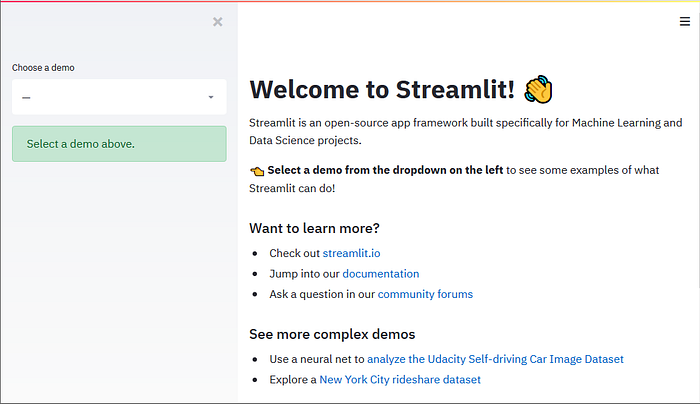
Now its time to launch our first web app using streamlit by just typing streamlit run and name of the file
3. Run the App
In your terminal, navigate to the file directory and run:
streamlit run app.py
References
1- Streamlit from Scratch: Getting Started